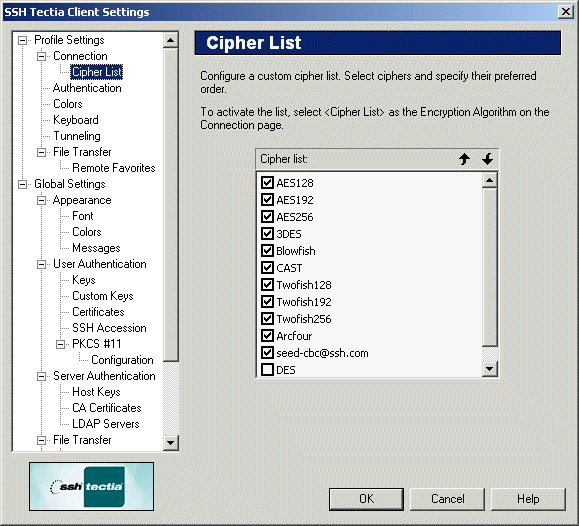
On the Cipher List page of the Settings dialog you can
control which ciphers can be used for the connection. This selection
defines what encryption methods will be available when using the Cipher List encryption algorithm setting.
Figure : Select your preferred encryption algorithms with the Cipher List page
The following algorithms can be selected:
AES128
AES192
AES256
3DES
Blowfish
CAST
Twofish128
Twofish192
Twofish256
Arcfour
DES
DES (Data Encryption Standard) is a legacy cipher that is not considered to be
cryptographically secure. DES is only included for compatibility with some older
protocol versions. It is strongly recommended that DES is not used.
You can change the cipher order of preference with the Up and Down buttons.
Up
You can give a cipher a higher priority by clicking it with the mouse,
and then clicking the Up button. The selected algorithms that are
located at the top of the list are preferred.
SSH Tectia Client will try to use the first selected algorithm in the
connection. If that algorithm is not supported by the remote host
computer, the client software will try the next selected algorithm on the
list, and so on.
Down
To give a cipher a lower priority rating, select it with the mouse, and
then click the Down button.
Select the check box next to each algorithm to include it in the list of
available algorithms. An algorithm marked with a check mark is available
for use.
To use your personal list of preferred encryption algorithms, select
Cipher List as the encryption algorithm on the
Connection page of the Settings dialog. For more
information, see Section Defining Connection Settings.