Public Key Infrastructure (PKI) is a system where digital certificates
are used to increase the reliability and scalability of authentication.
Using certificate authentication requires that certificates are first
created with certification authority (CA) software. For more information
on certificates, see SSH Tectia Client/Server Product Description.
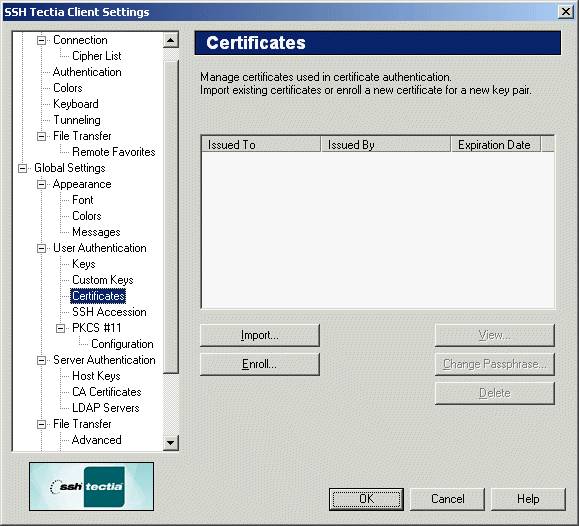
The Certificates page of the Settings dialog can be used to
control the user's certificates.
Figure : The Certificates page
Certificate list
The available certificates are shown in the certificate list, located at
the top of the Certificates page. The following fields are
displayed on the certificate list:
Issued To
This field shows the entity to whom the certificate has been issued.
Issued By
This field shows the entity who has issued the certificate.
Expiration Date
This field shows when the certificate will expire.
Buttons:
The following buttons can be used to control the certificates:
Import...
Click Import... to import a user certificate. A file selection
dialog will open, allowing you to browse your directories for the saved
certificate file.
Enroll...
Click Enroll... to start the Certificate Enrollment
wizard, which is used to request a certification authority (CA) to issue
a certificate. SSH Tectia Client supports the CMPv2 enrollment protocol.