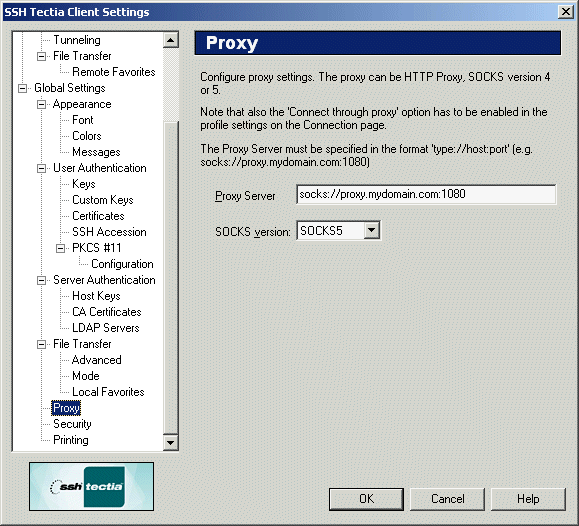
The proxy server settings can be configured using the Proxy page
of the Settings dialog. The options are HTTP, SOCKS4, and SOCKS5.
Note: SOCKS5 authentication or encryption functionality is not
supported.
Connecting through a proxy requires that the Connect through
proxy option on the Connection page has been selected.
For more information, see Section Defining Connection Settings.
Figure : The Proxy page of the Settings dialog
Proxy Server
Enter the proxy server address. The format of the address for a SOCKS proxy is:
In this case, the host socks.ssh.com and port 1080
(default) are used as your SOCKS server for connections outside of
networks 203.123.0.0 (16-bit domain) and 198.74.23.0
(8-bit domain). Those networks are connected directly.
If this option is used, it should almost always contain the local
loopback network (127.0.0.0/8) as a network that is connected directly.
SOCKS Version
If a SOCKS proxy is used, select its type. Available options are SOCKS4
and SOCKS5. This setting has no effect with an HTTP proxy.